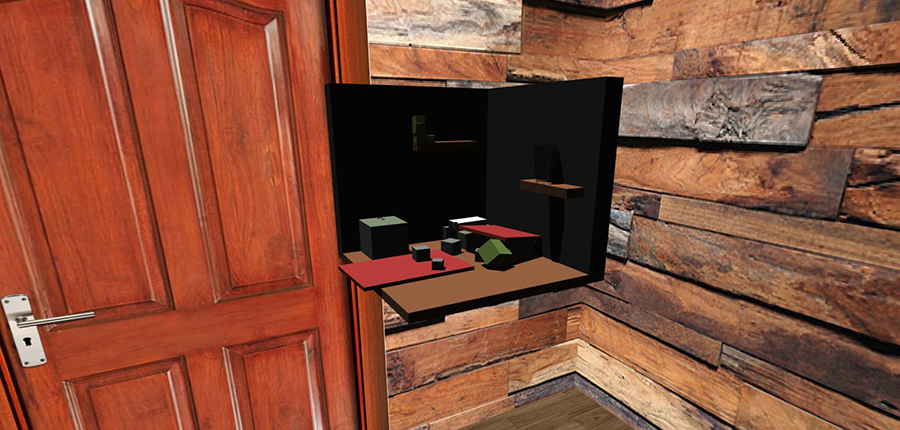
This project aims to develop a virtual interactive sandbox: a digital environment where users can manipulate and interact with elements such as terrain, objects, and physics in a creative and engaging way. I wanted to create a functional prototype of a virtual interactive sandbox that demonstrates the ability to manipulate terrain, objects, and basic physics. The sandbox includes a user-friendly interface and support for various interaction modes.
During this project, I learned a lot about problem-solving through trial and error. By working with new tools and concepts like physics simulations, I expanded my programming skills and became more confident in tackling technical challenges. Using tutorials as a guide, I discovered the importance of experimenting and finding solutions. Although I didn’t gather user feedback, I focused on making the prototype intuitive and engaging. This project taught me persistence and creativity, which I’ll carry into future projects.
To start the project, I researched what makes sandbox environments engaging and interactive. Then I made a concept sketch of components that should be in the sandbox. My teacher suggested some helpful tutorials to build my project. I started by creating a visually appealing and functional skybox, which would serve as the background environment for the sandbox. This was an important first step to set the tone and atmosphere of the interactive space. Using Visual Studio Code, I followed the tutorials step by step, experimenting with different code snippets. This trial-and-error approach helped me understand how to implement realistic physics and create intuitive interactions. Whenever I encountered challenges, I revisited the tutorials or adjusted my code until it worked. Once I had a working base, I focused on combining these features into a cohesive prototype. I ensured the sandbox allowed for smooth interactions and realistic physics. By testing my code throughout the process, I refined the functionality and layout to make it more intuitive.
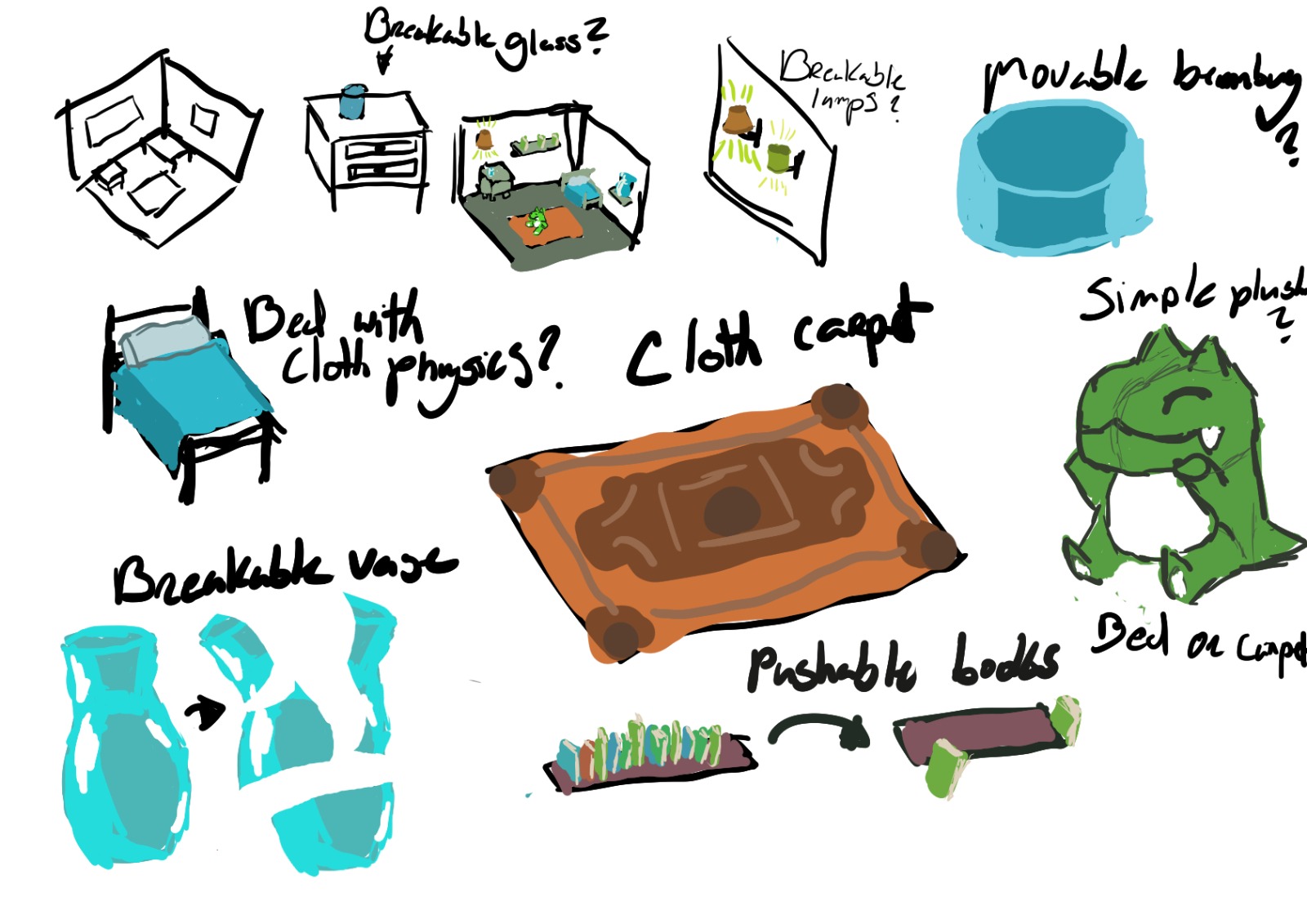
My inspiration came from existing sandbox-style games (Like Minecraft) and creative environments that allow users to experiment freely. I collected examples of intuitive user interfaces and environments where physics interactions play a key role, which helped guide my design choices. Additionally, my instructor provided valuable ideas and pointed me toward specific tutorials that helped me understand key concepts and techniques. These resources, combined with my own experimentation, formed the foundation for the creative and technical aspects of the project.

The design process began by identifying the key elements that make sandbox environments engaging, such as intuitive controls and realistic physics. I started by creating a visually appealing skybox to set the tone for the environment. Following tutorials provided by my instructor, I learned how to implement core features like terrain manipulation and object placement. Through trial and error, I gradually refined the code to improve functionality and user experience. This hands-on approach allowed me to explore programming techniques in depth, especially in handling physics simulations and interactive elements. By testing and iterating on my work, I ensured the prototype met the project’s goals. Although I did not involve external feedback, I relied on self-assessment and problem-solving to develop a prototype that balanced creativity and technical functionality.
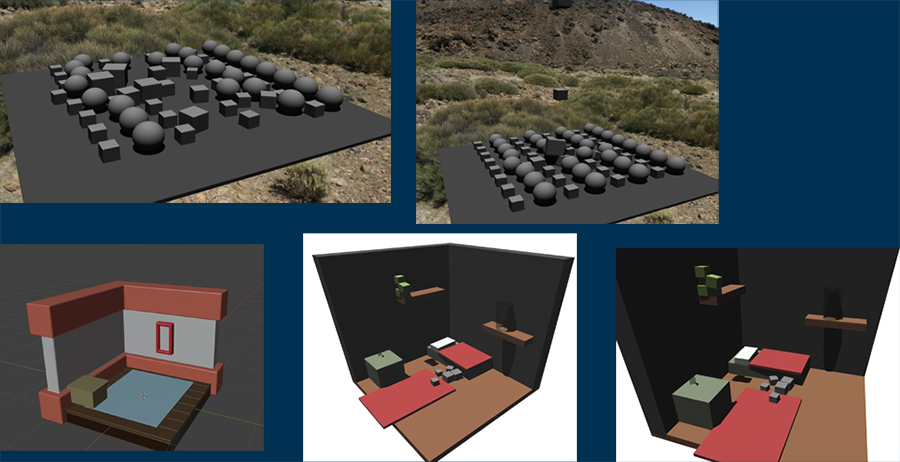
Once the skybox was completed, I started working on the floor of the room and built the space from there. First, the walls, followed by the addition of furniture, such as a bed and two shelves with books. Then, I added a nightstand, a rug, and a stuffed toy to the room. The glasses were given a separate texture. Reflecting on the process: Since the project had already been completed with a passing grade, I focused on the other parts where I hadn't scored sufficiently. As a result, I was unable to make the balls shoot when clicked.